 DAWbro
Pick the folder once
DAWbro reads every project in it without opening a single DAW. Read-only. The first read takes a while. After that, only projects you have changed are read again, in the background.
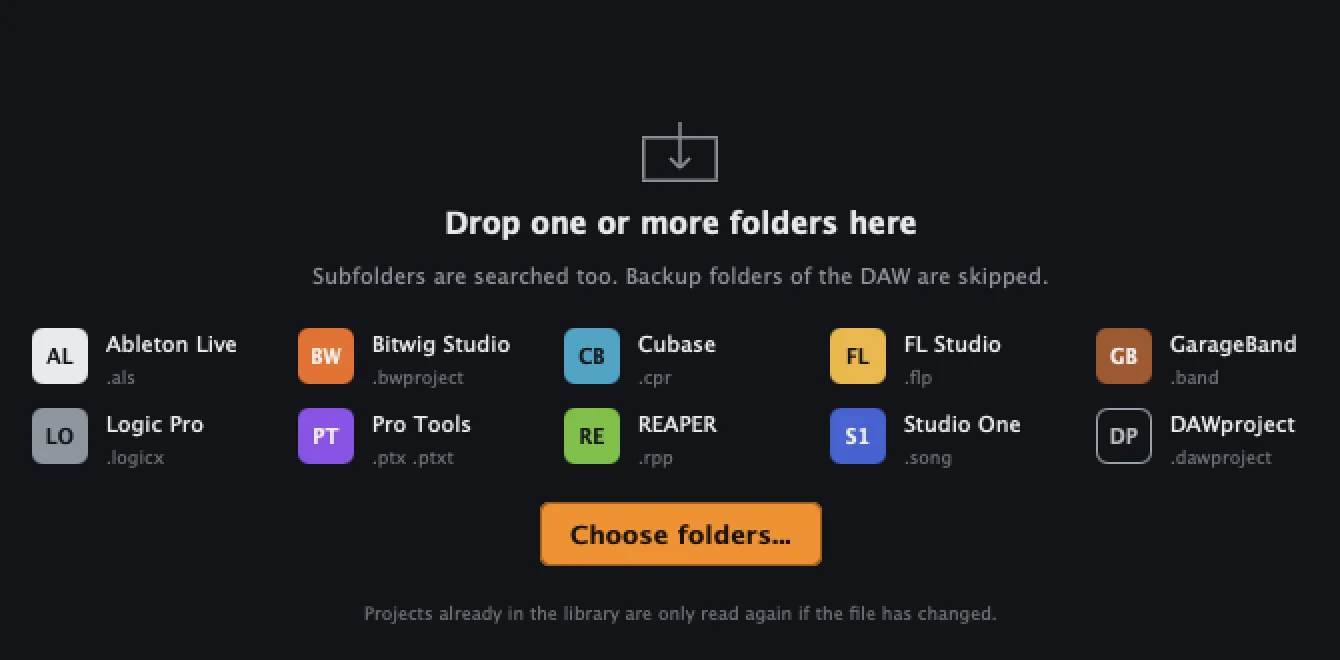
Every MIDI clip and sample from every project on your drive. Searchable, playable, draggable. Across ten DAW formats, without opening a single one.
You have hundreds of old projects on your drive.
Inside them: basslines, chord progressions, drum patterns, samples. Good ones.
You can't find them again without opening every project, one at a time. So you start from zero.
DAWbro reads every project in it without opening a single DAW. Read-only. The first read takes a while. After that, only projects you have changed are read again, in the background.
Not just project names: every MIDI clip and every sample. Narrow it down with a few clicks on instrument, role, key, tempo and length. Bass, F minor, around 125 BPM: there they are.
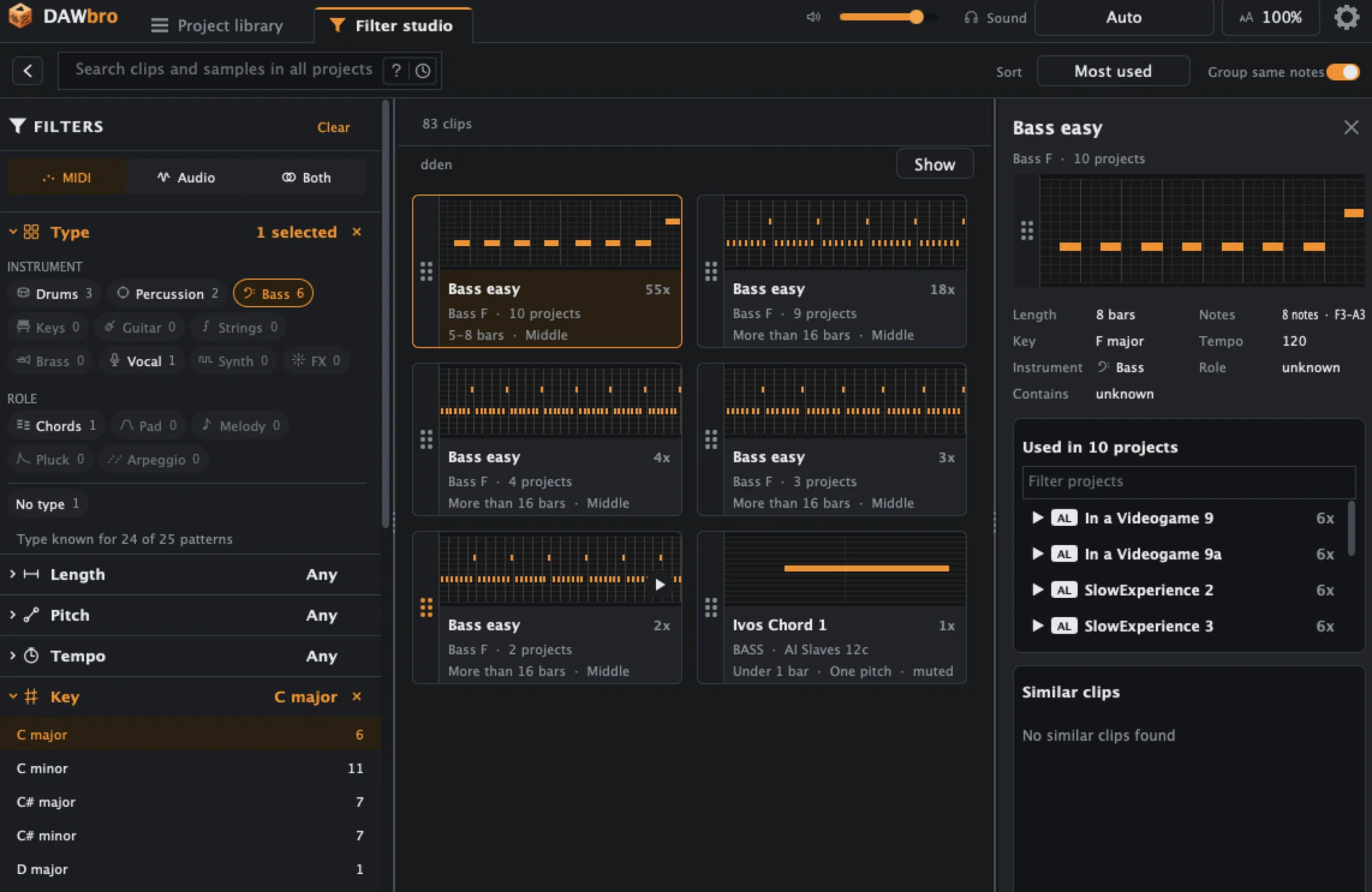
Click and it plays in a loop. MIDI shows up as a note picture, samples as a waveform.
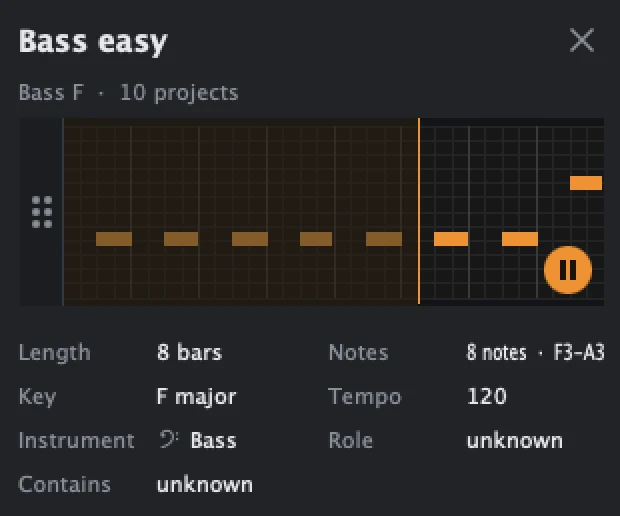
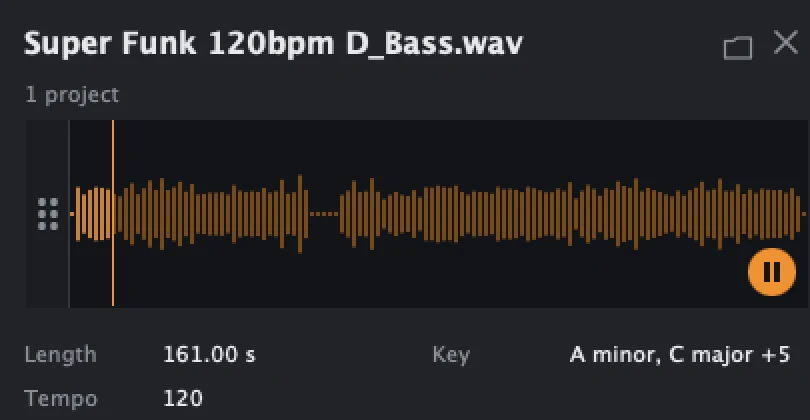
Pull a clip or sample straight into your DAW or the Finder. MIDI arrives with its tempo and the right length.
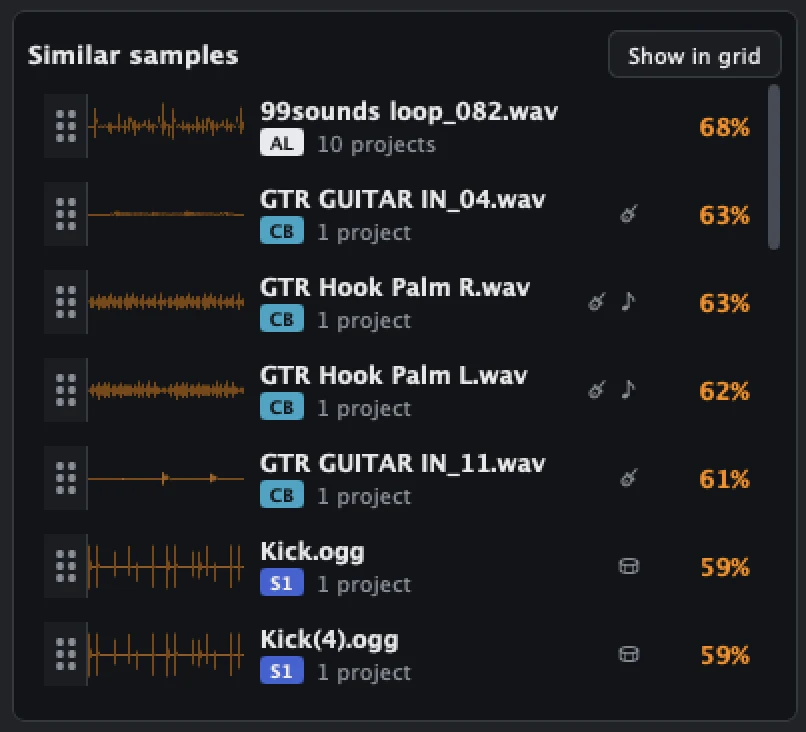
“Show me clips and samples that sound like this one.” The drawer on the right lists them side by side.
Other project managers keep metadata: name, tempo, plugins, sample paths. DAWbro makes the content usable.
| TRACK | OTHERS | DAWBRO |
|---|---|---|
| Searches for | Projects | Clips and samples in every project |
| MIDI | A note count | Note picture, playable, key detected |
| Listen to samples | Mostly no | Yes, with waveform |
| Drag out | No | Yes, drag and drop |
| DAWs | Often Ableton only | Ten formats |
Ableton and Live are trademarks of Ableton AG. Logic Pro and GarageBand are trademarks of Apple Inc., registered in the U.S. and other countries. Pro Tools is a trademark of Avid Technology, Inc. Bitwig Studio, Cubase, FL Studio, REAPER, Studio One and Fender Studio Pro are trademarks of their respective owners. DAWbro is an independent product and is not affiliated with, sponsored or endorsed by any of them.
DAWbro only reads. It never writes into a project file, never moves a sample, never renames a folder. Your DAW will not notice it was there.
Also available on Gumroad.
No. It only reads them. Nothing is written into your project folders, and your DAW never notices.
No. DAWbro reads the project files directly. A Logic project opens on a Windows PC, a Cubase project on a Mac. Switching DAWs no longer leaves your old ideas behind.
Not the plugin itself. MIDI clips play on the built-in synth or go to your own instruments over MIDI. Audio samples play exactly as recorded.
Almost everything. Reading, searching and listening are unlimited, with no time limit. You can drag 20 clips or samples into your DAW. The license removes that limit and adds bulk export of MIDI and audio from a project, a folder or your whole library.
Measured with 600 projects and 100,000 clips, searching without a wait. Beyond that it keeps working, it just has not been measured.
Your projects and the database never leave your computer. No account, no sign-in. DAWbro goes online for three small things: to activate a license, to check for a new version, and, only if you agree, to send an anonymous daily report (which DAWs, which system, import errors). You can see exactly what is sent in Settings.
Most manage information about projects: name, tempo, plugins, sample paths. DAWbro opens up what is inside them: every clip and sample, playable and draggable.
No. A standalone app for macOS and Windows. You drag from it into your DAW.
English, German, Spanish, French, Italian, Dutch, Polish and Japanese. The interface scales from 50 to 300 percent.
A project that won't read, a bug, an idea. It goes to the developer's inbox.